
What is Superstar Family Dress Up?
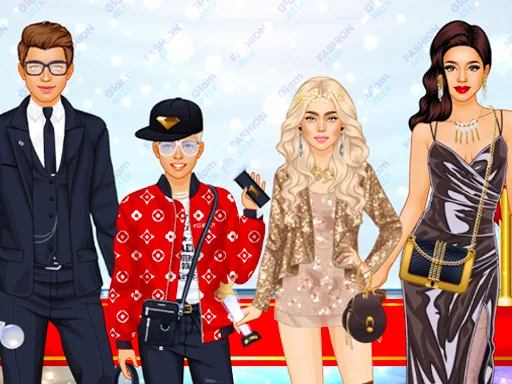
A lineup of family figures stands at the start, parents and kids together, and clicking on any one opens that figure's own outfit menu, so the first move in Superstar Family Dress Up is just deciding who gets dressed first.
Each family member has a separate wardrobe tab: the parents get blazers, sundresses, heels, and statement jewelry, while the kids get graphic tees, overalls, sneakers, and hair clips. A shared photo-set tab covers backdrops and props, like a couch, a balloon arch, or a cake, and outfits layer freely so a cardigan sits over a dress without hiding the print underneath.
The camera element is where this family styling game splits from a regular makeover: once everyone is dressed, the scene frames the whole group like a social feed post, backdrop and all, instead of showing one finished character alone. A round ends when that group shot gets posted, framed like something pulled from a phone's camera roll.
Dress the parents in colors that repeat somewhere on the kids, like a matching cardigan and a matching hair clip, so the group photo reads as coordinated instead of random. Pick the backdrop before finishing the last outfit, since a busy prop set can clash with a busy outfit. Line the tallest figure toward the back before taking the photo, since the pose options sit under the outfit menu and are easy to miss.
How do you play and control Superstar Family Dress Up?
Click a family member to open their outfit menu, then click items to dress them, and click the camera icon to take the group photo.
Tap a family member to open their outfit tray, tap items to try them on, then tap the camera button to take the group photo.
Game details
| Specification | Details |
|---|---|
| Game Title | Superstar Family Dress Up |
| Category / Genre | Baby & kids |
| Platform | Web browser — phone, tablet and desktop checked |
| Release Date | September 2026 |
| Technology | HTML5 |
| DressUpLand account | Not required |